
29 July 2009
Meeting Me to Death
 Isn't it funny how HUGE a role communication plays in your workplace?
If it's missing we say, "There was a breakdown in communication."
If there is too much communication we say, "There are too many cooks in the kitchen."
So how do you deal with communication in your workplace? Meetings, phone calls, texts, IM, Twitter, hallway conversations, etc. How do you manage all that and still stay productive?
At Granger, we've shifted our focus quite a bit. When I first started working at the church it wasn't unheard of to have multiple meetings per day - every day. After all, you need to meet in order to get stuff done, right? Well, as it turns out, you can meet so much that nothing gets done. You come up with all sorts of good ideas that never get realized.
The Issue with Meetings
Here's what it all boils down to. In every company, business, department or church there are three types of people:
- The Dreamers: Those that cast vision, see the big picture and have the next big idea. Highly capable of dreaming and speaking but rarely part of the day to day.
- The Middlemen: Those who have the ability to add value to the vision and fine tune the big picture while at the same time playing an active role in the follow through. Able to troubleshoot and complete tasks.
- The Front Liners: Those that are getting it done. They flesh out the vision that has been passed down in the form of task lists and project scopes. Able to get numerous things done each day but typically stay out of the big picture stuff.
What we did at the beginning was grab everyone on the team for every single meeting. Problem is, the Front Liners were getting stressed out. Not only were they being pulled off the assembly line for large amounts of time, but in the meetings they got to watch their task lists grow!
The Solution?
The Dreamers now have more high level meetings with other Dreamers. When they are ready to flesh out their ideas they meet with some of the Middlemen (this includes women of course...). And finally, when it's time to implement, there is either a short meeting where the Front Liners attend, or the Middlemen simply pull the Front Liners aside during the day and walk through the new project, task or process.
The cool thing is that this issue break down when it comes to other forms of communication. Our entire team is connected at any given time via email, text, IM and Twitter (notice I did NOT say by phone). This works well because it only interrupts the work flow if you allow it to. This way you can keep ideas flowing without interrupting the assembly line.
How about you? Feeling "meetinged to death"? Give this new strategy a try and see if it helps.

27 July 2009
It Must Be People AND Process
 I purchased a Dell Studio 15 laptop (yes...pink) for my wife back in January. But over time it began to slow down and have issues that no 4 month old computer should have. Outlook wasn't happy, the fan ran constantly, IE8 would take WAY too long to load average web sites, etc.
So last week I began the troubleshooting process.
I started at home by re-installing Windows Vista 64bit OS with no success. Still slow.
I then worked with our IT guys here at Granger to install the free version of Windows 7 to see if that helped. However, it did not. Because of this the IT guys suggested I call Dell as it was most likely a hardware issue.
And so began my 3-day ordeal with Dell.
- I talked with laptop support who ran an hour long test. Test failed because I had deleted a "diagnostic partition" when re-installing the OS.
- When they learned this was an issue they transferred me to the software department. The software department ran me through a number of procedures like starting in safe mode and reverting all settings to default. Still no joy. So they transferred me back to the hardware department.
- I was accidentally transferred to desktop hardware support and spent 20 minutes describing the problem to the wrong person who then transferred me to laptop hardware support.
- Now I've come full circle and I'm worried that they will recognize me and send me back to software support. But this time it is something else. Since I installed Windows 7 they cannot help me. I need to put Vista 64 bit back on the machine before they can help me further.
- I spend the rest of the day loading Vista 64 bit back on the computer.
- This morning I call back laptop hardware support and say, "I'm good to go - have Vista 64 bit installed."
- They walk me through a battery of tests and hardware checks (including taking the back off the laptop and removing and replacing memory cards in random variations.)
- Interesting side note - the machine ran faster with one memory card (2GB) than with both installed (4GB)...
- We then upgraded the BIOS to the most recent version. Still no changes in speed.
Dell has decided to send someone to my house to replace the mother board, both memory cards and the hard drive...
Wow! What a process.
In Summary
I didn't have one person treat me poorly. They were all professional, took their time and went by the book to fix the problem. They called me "Sir" and said "please" and "thank you" a lot. They apologized for the time I was putting in and always asked if there was anything else they could do for me.
So why did I feel so drained? Because it was the Process that was faulty...not the People.
How often do we put on a big smile and be as nice as possible but never attempt to make the process more enjoyable for people?
Are we providing technical support for a website that drains the life out of people? If so, we need to make some changes quickly.
Maybe we should make this our goal:
Design a web experience that will ensure people are happy with the process. Then when they encounter the people they will be wowed and not just satisfied with the outcome.
14 July 2009
Introducing Tammy
 I know I've mentioned Tammy before, probably in passing on a post about family or something to that end. But have I officially introduced you to her?
She's not only my wife and the mother of our three kids, but she's an amazing woman in her own right.
God TOTALLY knew what he was doing when He interrupted my long string of superficial relationships and asked me to grow up long enough to recognize what true love is all about.
It's not even our anniversary. But maybe that's the point. You're supposed to say nice things about each other on days like that. But how about July 14 at 4:56 in the afternoon? Shouldn't you feel the same way then?
Tammy is so many things to me. Trying to summarize them all would be less than accurate, so let me list just a few of the things I've seen recently that take my breath away:
- She does more in a day than I do in a week. Seriously...a full time job, three kids, a home, bills, a grumpy husband, and the list goes on...
- She is the glue in our relational world. Time and time again she keeps us connected to family and friends in ways I don't even dream about.
- She goes above and beyond for the kids. If it were up to me we'd stay at home 80% of the time. But Tammy sets up activities for the kids so we don't fall into that rut. This summer it was everything from Spring Hill Camps to soccer, swimming lessons and VBS.
- She supports me. Even when I get a bit off center and want to buy thousands of dollars worth of SCUBA equipment, she allows me the freedom to check off "bucket list" items with the boys.
- She still finds the time to sell jewelry through Lia Sophia and hold garage sales that take weeks to prepare for.
- And finally, she went camping this summer. Yes, she stepped WAY out of her comfort zone in upper Wisconsin and did amazingly well considering mother nature was a complete &*%$! and sent us rainy cold weather for the entire trip.
Those of you that know Tammy will agree with me. Those of you that don't, should really get to know her.
13 July 2009
Content Management Systems (CMS) 101
I'm definitely NOT an expert on CMS.
However, I still get asked the question a lot - typically by people that read my blog or attend our workshops - typically from smaller churches or organizations that aren't ready to shell out big bucks for complete web design/development/CMS packages.
Luckily there is a middle road between a blog and full blown web development.
These robust online CMS options give you the ability to develop websites with typical html pages, blogs, photo galleries, eCommerce and more. This along with simple administration behind the scenes and you have a cheap alternative that looks fairly professional.
Obviously you don't have 100% control over the look/feel of the sites created by these CMS engines but it's a lot closer than trying to redesign a template on Blogger or TypePad.
For an excellent read on CMS: 10 Simple Rules for Choosing the Perfect CMS + Excellent Options.
Enjoy!
For those of you wondering:
- gccwired.com is completely designed from the ground up (including CMS) by our partners at aspireone.com (great team to work with).
- wiredchurches.com was just redone on the Drupal platform with Ubercart eCommerce running the store. We worked with Commerce Guys on this project and had a blast. Check them out if you're in the market for a good eCommerce solution.
KNOW1NG Is Half the Battle
 I rented the movie Know1ng last night and was surprised a bit by the impact it had on me.
I just told you I love movies that answer The Big Three questions (see recent post) but I also love movies that are eschatological in nature. So I'll typically see them in the theater or as soon as the come out on video.
In this case I just missed it in the theater so when I saw it on On Demand I was quick to check it out.
Again, not a movie that accurately explains what happens at the end of time. But I don't mind. I'm solid in my end time beliefs so it fascinates me to see what people come up with when they have no guidance (like we do with the Bible).
Some takeaways (without ruining the plot of the film):
- Typical tension between those with religious views and those with scientific minds.
- Interesting take on the final event that extinguishes the human race.
- Interesting take on those NOT from this world and how they interact with the humans.
- Interesting take on the cyclical nature of humanity and the influence/guidance by those NOT of this world.
- Interesting take on the way the way those NOT of this world communicate and guide those on earth.
Made you think about the relationship between parent and child along with reminding you just how fragile life on earth really is.
I don't know about you, but it's hard for me to stay fired up about the end of time.
Luckily films like this come along and remind you just how relevant it really is.
Coleman: Social Network Guru's?
 I've gotta say, I'm a bit perplexed. When I think of social networking, I don't think of Coleman.
I mean I understand their slant on it. Just by using the words "social networking" they appear relevant and current.
Social networking today implies Internet connectedness so the thought of it meaning relationship building around a campsite is an interesting twist.
Can't say I'm impressed or irritated. Just saw the new campaign and thought it was worth mentioning...
Finally! The Day Has Come!
 Last year I bought a Sony HD Camcorder that records in AVCHD. It came with a program called Picture Motion Browser which is a complete joke. So for the past year I've been looking for a free AVCHD player so I can at least watch my archive without plugging my camcorder into the HDTV.
Of course it's my fault. As an early adopter you run into things like this. The hardware is available but your computer (software) can't handle it.
I tried numerous recommended options but each either didn't work or required hoop jumping in terms of downloading external codecs that didn't seem to help either.
The closest I came was the Oxygen Player by Mirillis. But just as I began testing it they had to pull it from the market due to some legal dispute over the technology used to create it.
And that's where I was stuck until last night.
I decided to check out Mirillis again and what do you know they're back! The new product is called Splash HD and it works like a charm. Great picture with clear and concise playback.
Thanks Mirillis - you just saved my life...
Now...here are a few quick tweaks that I'm already looking forward to:
- The ability to see thumbnail images of your clips so you don't have to open the file to see what it is.
- An upgraded player that allows for insanely quick and easy editing (cropping and stitching) of AVCHD.
11 July 2009
Do We Make Contact?
 I found myself watching the movie Contact yet again last night. I love a good movie that seeks to answer one or more of the Big Three Questions: Where did we come from? Why are we here? And Where do we go when we die?
The movie is one persons thoughts on our origin, purpose, death and afterlife. And it does a fairly good job of running that view (very scientific) parallel to the opposing religious/spiritual view.
If you haven't seen it yet you should check it out - if for no other reason, to reacquaint yourself with the fact that the scientific community is searching for the same answers we are as Christians.
But that isn't why I'm blogging this. During the movie the characters quote Ockham's Razor:
Taking all things into consideration, the simplest answer is usually correct.As Christians we believe the Bible includes the answers to our questions. I tend to clump Biblical truth in the following ways:
- Absolute Truth: Stuff that is black and white and easily identified as such.
- Shielded Truth: Stuff that is symbolic and metaphoric at best (like prophecy). The sort of thing a non-believer wouldn't touch with a ten foot pole but those sold out for Christ can understand with the Spirit's guidance.
- Withheld Truth: Stuff that we and our mortal minds wouldn't begin to understand so God is vague or silent (concepts like eternity and the Trinity).
- Absent Truth: Stuff that I believe God expects us to understand because it just makes sense. If we were to come to any other conclusion it would likely be due a lack of common sense or an overinflated ego attempting to write it's own reality.
Are you serious?
Of course my logical thought process is to bring it all back to what I do - communicate via the web to those asking the Big Three Questions.
So are we making Contact? If so, I'm betting it's because we use the right mix of the four things listed above.
Hit hard on what is absolute. Don't force what is shielded (as it will only alienate people). Don't even try to explain what is withheld. And help people see that what is absent is really quite important in light of the rest of the truth in the Bible.
I think if we follow this recipe for communicating we'll do well.
09 July 2009
Simply Smashing
 I follow a bunch of tech blogs and Twitter accounts simply to be in the know about the latest stuff out there.
In so doing I get immediate information in the form of content or links info on tech, gadgets or even tutorials on how to get web design/development stuff done.
But out of all those I follow, one seems to rise to the top in terms of helpful and amazing content.
Smashing Magazine has had more articles, freebies, aggregated content lists, and tutorials that fix immediate needs I have than any other source.
I'll give you one example: You looking to become a freelance web designer?
If you haven't checked them out - get on it!
06 July 2009
Technology: Increased Productivity or Increased Laziness?
 We just returned from vacationing in the Upper Peninsula of Michigan and Wisconsin. Quite rural. And I remained unplugged the entire time (except for some Twitter action on the Palm Pre...)
Doing so made me think about the way technology has impacted us - both for better and for worse.
Better
It goes without saying that our lives are easier now than in the past. Just look at the difference between the typewriter and the computer for instance. If you're thinking about writing a book - you're going to LOVE the backspace button and the ability to keep all your work on a SD card the size of a postage stamp.
The automobile gets you from point A to point B in a respectable amount of time. We're talking horsepower rather than a horse...
Airlines give us the ability to see the world in person rather than in a book at the library.
And the list goes on...
Worse
But there are some interesting drawbacks as well. Now we tell people they need to "unplug" in order to relax. We have connectivity that can eat up every waking second of our day. And yes, even though there seems like limitless things to be done in a day, could it be that we're getting lazier despite our increased activity?
Here's where I'm going with this...
Today I'm connected almost 24hrs a day. With the Palm Pre (or iPhone if I'd chosen that path) I'm able to manage email, text, calendar and tasks along with the insane amount of online (cloud) content available at my fingertips via browser and Apps.
But does this make me more or less productive as a worker?
On the one hand I can do my job anywhere at any time. On the other hand I can also do a million other things with the technology. I can Facebook, Twitter, YouTube, Vimeo, Flickr, etc. at work and at play.
Because of this my life has the ability to become one giant tech trip. An enmeshed mess of work, family, spirituality, entertainment, education and relationship building.
Before the computer we worked hard for 7-9 hours a day to get everything done so it wouldn't be waiting for us the next day. But today we often play at work and leave stuff undone because we can always jump online at home to finish things up.
Summary
I really don't know that I have a good answer to this dilemma. On the one hand I love it. On the other I long for simpler days. Either way, there's no turning back. I don't think the Amish lifestyle is for me so I need to learn balance in this new age of technological enlightenment.
Am I alone in this?
25 June 2009
Playing Catch-up
The past few months have been wild and crazy. But we made it through and now we're getting back to more run-of-the-mill stuff.
So, "What were you up to?" You ask. Well - here are a few of the big ones:
1. WiredChurches.com
For the past year or so we've been working toward a new eCommerce reality for WiredChurches.com. And on Friday, June 12, we flipped the switch. We went from using a HUGE industry standard (Netsuite) to an open source platform with a more simple and straightforward approach to eCommerce (Drupal/Ubercart).
Netsuite was a beast that attempted to be all things to all people while missing the simple things that make the day-to-day bearable. Not to mention that it was expensive...
Ubercart is highly customizable and makes product/event management a breeze.
Added: New look/feel, home page flash that allows video, community section with blog/Twitter integration and streamlined event registration.
It took a lot of work on the front end, but we'll reap the benefits for years to come.
Great job team!
2. InnovateConference.com
The same day innovateconference.com went live to promote our annual conference at Granger Community Church.
Highly driven by the photo shoot for the conference trailer, the site begins with a short video and then allows the user pick from the menu items. Secondary pages are laid out on transparent backgrounds over the backdrop used in the video.
This project stretched my mind which is typically very traditional and symmetrical in design concepts. But I love the new look, the things I learned and the feel of the site in general.
Sign up now. I'm looking forward to seeing all of you in September.
3. Community Center Database
The next one isn't very flashy, but was a huge win for our church and for data integrity in general. We purchased a new FellowshipOne account just for our Community Center.
Here are just a few of the benefits from moving the Community Center data out of our church database and into a new one:
- Keeps things clean since people attending the Community Center are technically not members of Granger Community Church
- Allowed volunteers at the Community Center to continue using an application they were trained on and comfortable with
- Allows for the tracking of food and personal care items during Food Pantry
- Allows for check-in during events that occur at the Community Center
- Keeps reporting and queries clean since they are in different databases now
4. Something Coming...
Yes - the last thing is still in production - but very cool and I can't wait to share it. Look for the unveil in August of September.
It's been a great run of ministry. Now for a week or so of rest...
14 June 2009
"Pre"ventative Maintenance
 One of the reviews I read before the launch of the Pre described the device as "toy-like" due to poor craftsmanship. Basically they said it failed to reach the standards of the iPhone and some Blackberry devices.
Now that I have the Pre in hand, I disagree with all but one of the statements made in the article.
The part I agree with is that there is a sharp leading edge on the phone when it is opened to expose the physical keyboard.
An oversight in my opinion. The sharp piece of plastic is actually the bottom frame of the phone - the part the top slider attaches to and that the battery cover attaches to. It make sense that the top cover is smooth and pretty, and that the battery cover is smooth with rounded edges, but for some reason they didn't carry that through to the edges of the open phone.
Solution
I know some of you are going to freak out when you read this, but keep an open mind and just hear me out.
Sand it down.
You heard me. Get a piece of sandpaper and knock it down a bit so it isn't sharp.
Of course before you begin make sure you have the right sandpaper. Actually sandpaper isn't the best term to use. Get yourself some wet/dry polishing paper (also called emery cloth or emery paper). I'd go with the fine grit if possible. Not sure the actual number - but the 3M stuff I have has 600 printed on the back. Not sure if that is a 600 grit or if it stands for something else.
Polishing paper is typically used to polish metals and jewelry.
Open the phone and make sure the paper isn't going to hit the face of the phone in any way. Then go to town on the rough edge. You can do it fairly vigorously as the fine grit won't allow you to take off too much of the plastic.
What you get is a smoother edge with no visible sign of distress to the plastic. It will still be a distinct edge - don't get me wrong, but it will feel much more "polished" than before.
Nice quick fix to an afterthought by Palm.
11 June 2009
Product Review: Palm Pre
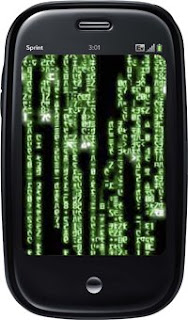 Call me an idiot. I stood in line for an hour to get my hands on the Palm Pre. After 6 long months of online research I finally got to hold one in my hands...
It's hard to believe I've only had it for 5 days. It was so easy to learn and so fun to use that it seems like I've had it for months.
Now, the fun part - getting to review it.
Purchasing/Activation
Stood in line for an hour with up to 15 people. 10 phones available at my Sprint store. I was number 2 in line. In and out in 30 minutes even with a slight wait for the activation to register on the phone. Total cost: Approx. $300 with a $100 rebate certificate.
Hardware
The Pre has to be the most comfortable and ergonomic phone out there. Palm said it was designed to look like a river stone and it comes close. The buttons are well designed and are only there because they have to be. Very clean look and nothing to get snagged on a pocket. Love the ringer switch on the top (to easily turn off all sounds). Incredible 320x480 touch screen with crisp images and excellent response to light touch. Gesture area rocks - making basic navigation a snap. The keyboard is a bit tight (especially the top row) but I've been surprised how quickly I got used to it. Definitely better than the "highly negative" articles I read about it prior to launch. Camera is amazing. Pictures are so good you assume they came from a small digital camera and not a phone. Sliding mechanism works adequately.
UI
Palm has done an amazing job on WebOS. It is a highly organized system of Apps that open full screen but then shrink down into a card view. Each App lives in a card and can be sorted, opened or closed as needed. This makes jumping from an email to a text to copy/paste and then back to the email a snap. I've noticed no lag time with up to 10 cards open at one time but I haven't pushed it farther than that - nor would I typically ever use more than 5 at a time.
Synergy
Palm makes it possible to merge multiple email accounts, calendars and contact lists together. I'm currently hooked up to an exchange server (EAS) so all of my stuff was pulled down onto the phone. I have a Facebook account but haven't attempted to pull in the contacts from there.
Wireless
Works like a charm. Connect one time - auto connect the next time you're there.
Universal Search
Just start typing. WebOS looks for matches in contacts and Apps, then if it runs out of matches it switches to the web and offers searches by Google, Wikipedia and Twitter. Very smooth...
Phone
Sounds good to me...I don't use it as a phone. With all the communication avenues out there, why would I want to talk to someone :)
App Catalog
Currently small, but as long as I have a Twitter client I'm good for right now. I'm sure the Fart App will be available at some point...
OTA
Over The Air updating of WebOS - amazingly quick and simple. Use WiFi and it works until it's done. Use the PCS network and it downloads a bit at a time while idle.
Touchstone
Wireless charging is amazing - why don't all phones charge this way? When you buy the Touchstone it comes with a new (less glossy) back cover for the phone. I like this cover a lot.
Sprint Specific
Amazing plans and Apps like Sprint TV and Sprint Navigation with turn-by-turn directions.
Misses
There are things that Palm either overlooked or just didn't have the time and money to finish before launch. Here's my list:
- The door covering the charging port doesn't match the overall excellence of the device.
- The phone is VERY slippery - making it difficult to slide open at times. I fixed this by purchasing the Touchstone charging device. The new back cover is somewhat rubbery which makes it less likely that it will slide out of your hand.
- Make a screen capture easier. Three buttons at one time? Seriously.
- No visual voicemail.
- Doesn't sync with Zune Marketplace.
- Doesn't capture video.
- I lost Windows Live Search (I actually used that App a lot on my MotoQ).
- Universal search doesn't search everything (like emails).
- No good way to protect the phone. Based on the style of the phone (slider) there really is no way to protect it outside of a case. It is what it is...
- Fingerprints. Again, it is what it is...
- I'm sure there are more...
This phone blows me away - which says a lot since I was able to come up with that many misses. I think it's the fact that it's innovative (WebOS), simple to use, simple to design for (Apps can be developed with html, css and javascript), beautifully scripted (UI) and yet a workhorse (multiple applications running at the same time).
Palm took the extra time to come up with a very well appointed and precise instrument. Small things like the way notifications slide up from the bottom (without impairing your view of the current App) and the small icon below your text when you select the shift or function keys. Simple things that make the user experience that much better.
I am VERY happy with the original state of the phone. And I'm VERY optimistic that with OTA updates, many of the misses I identified will probably disappear in the next 6-12 months.
I would highly recommend you take a closer look before making an impulse buy.
If this just wasn't enough for you visit the Engadget Article written by Joshua Topolsky.
04 June 2009
Tell Me What You Really Think
 I'm a big tech geek which means I spend a lot of time reading about stuff that isn't even available yet. Sure there are some cool gadgets available right now - but the REALLY interesting ones are those in production or that are still ideas in the minds of exceptionally intelligent people.
In order to quench my thirst for new tech insights I spend a lot of time on Engadget, CrunchGear and similar blogs that offer the low down on the new stuff.
In so doing I ran across a guy that I've come to admire from afar: Joshua Topolsky, Editor-in-chief of Engadget.com. He's there for a reason. He's a funny guy (judging from tweets I've read) and has an amazing way of explaining the information you need to make intelligent decisions on tech purchases.
I've thought this for a while, but even more so when I read his review of the Palm Pre.
I love the "idea" of the Palm Pre.
Of course I don't actually know that I'll love the phone since I haven't even seen one in real life. But I love what it is supposed to do and how it thinks outside the box.
The review by Joshua gave me ten times the insight I'd been given anywhere else. From numerous quality photos to helpful video walkthroughs he explains almost everything about the phone. And in such a way that you hear the good and the bad no matter how he feels about the phone itself.
If you're looking for good reviews on today's tech I'd encourage you to read Joshua Topolsky's stuff on Engadget and even follow him on Twitter.
02 June 2009
Crunch Time
 Well...it's crunch time around here.
After a SCUBA vacation, conference in Texas and some free time thrown in it's time to buckle up. The ride is going to get bumpy...
But then again, that's the way we roll around here. Our Senior Pastor explains it as "sprinting" and "resting." You sprint for a while and then you rest. Then you do it all over again.
For the Web Team at Granger (Communications Department) it typically hits in the spring and early summer. And this year is no different. Right now I'm working with teams on 4 high level projects being fine tuned for roll out. I can't exactly say what they are - but let me just say a couple of them will be very cool and will help us take the next step in our evolution. The others are annual projects that just need to get done but will also add value to those experiencing them.
On the side things are also running full speed ahead. Freelance projects are suddenly plentiful (with no advertising mind you). I may have to start turning some down.
I'm working on one commercial site and one non-profit site currently with a few waiting in the wings. I've loved testing out my design skills and learning new shortcuts in the development process.
My current blind spots: eCommerce and branding.
On the home front the family keeps growing (not in number...just in height). We're into the summer routine with soccer, swimming, weekends at the lake, lawn care, and the whole nine yards...
Like I said, it's a "sprint" season and I'm loving every minute of it!