
15 January 2007
On the Side
 Do you do side jobs? Maybe for a little extra income, to stay sharp or to get the fix that comes from starting a brand new project and carrying it through to completion?
Well, in the past year or two I've done a couple. Pages in Time and Cornerstone Cabinetry are the two big ones along with blog template design and other stuff. But here's my assessment of side projects after doing the few I mentioned:
- It's really hard to estimate how long a project will take
- I use projects more for the purpose of learning than to make extra money
- You can find site components on the web easier than you think
- You have to know what you're doing to use most of them
- Use technology that makes site-wide changes simple (an external CSS stylesheet, SS/PHP includes for things like navigation and components that dynamically import data/images for ease of updating)
- Find something your client can use to do the small stuff on their own. I often suggest Macromedia (Adobe) Dreamweaver if the person has money, or Macromedia (Adobe) Contribute for an inexpensive and yet powerful solution to editing copy, adding tables/pictures and even new pages to the site
- Communication...
- Communication...
- Communication...with it the project goes well, without it the process could drag on forever
- Think ahead! Not only when you design, but for the years following the completion of your design
- There is nothing cooler than Kuler! Need a good color scheme for your new project?
- And finally, it is so nice to be able to do projects that come your way if you want to do them and not because you have to do them to earn a living

22 December 2006
The Pre-Christmas Push
 As Christmas approaches, you can't help but feel the pressure. Yes there are the gifts to buy, the presents to wrap and the cookies to make. But don't forget the completion of web projects, data transfer and product uploads!
Yes, there is a lot going on in the Communications Department. Here are a few of the big things we've rolled out in the past month:
- New and improved Leadership Page
- Real People Page
- Lots of cool U2 Christmas adds to the Media Player
Here are some of the big projects we're just finishing or still working on:
- New store! WiredChurches.com "2.0" is almost ready to make it's appearance.
- Can't talk about this one...
- Better GCCwired.com user experience when using the Web Link functionality for online transactions like registering for events and giving online.
- Can't really talk about this one either...
- Upgrading hardware, software and systems to support an improved media presentation on the web (from media player to on-demand version of last weeks service). Transitioning from standard video presentation to streaming video for all clips (even the short ones).
- Along with a myriad of small adjustments to our current pages.
Just so you don't think we sit around and blog all day!
30 November 2006
Are You Organized?
 Organization has always been one of my strengths (even though my mother and my wife probably have examples of the exact opposite...). I'm not sure where it came from - but I've been told that it could be related to being a first born with a concrete-sequential personality and a healthy dose of perfectionism thrown in. And while being a perfectionist often leads to neurotic behavior, it can also be used in moderation to stay organized and manage your workload well.
In my previous life (a few months ago) I managed an acute unit in a psychiatric hospital and organization was mandatory. I supervised three clinicians providing services to over forty patients in crisis along with managing statistical analysis of a myriad of variables to keep the administration happy.
When I left the mental health field to become the web director at granger things calmed down for about ten minutes. Fifteen minutes into my new position I was thinking about ways to stay organized in this new environment.
One thing I quickly realized the following:
In order to stay organized in any environment you first need to find out what needs organized. -daryl mcmullen 2006 (like that matters...)This may sound elemental but think about it - all organization is not the same. My organizational strategy and the tools I used at the hospital did not completely transfer to the church environment. The mindset transferred, but many of the strategies and tools did not. Here is a list of the most common things I must keep organized (ranging from macro to micro level tasks in no particular order):
- Relationships: I manage relationships with co-workers, volunteers, other departments, our Senior Management Team (SMT), our web developers, current and potential vendors along with people inquiring about our website, etc.
- Data (files/folders/pictures/video/etc.): Over time "stuff" builds up and can become very disorganized. I am directly involved with web files, image/graphics files, video clips, documents converted to PDF, etc.
- Data (statistics): We are developing strategies to manage the statistics we have access to when it comes to our CMS, our website(s), our eCommerce solution, our enewsletter and our online streaming video usage.
- Information: In every field there is basic/foundational information (capable of being learned in school or from a textbook) and there is progressive/cutting edge information that's so new it must be managed differently. This is where online content, blogs, tutorials, recently published books, periodicals and the like become very helpful.
- Web Development: Managing current projects and identifying the next phase of web development.
- Budget: Managing the cost of our current projects, and leveraging funds for future development.
- Wish List: Developing "cool" new ideas that may or may not become part of future web development projects.
- Web Maintenance: Managing the day to day maintenance of the website(s).
- Doing/Designing: Actual hands on work in terms of maintenance or design work. I spend time in our admin panel adding/scheduling/maintaining content and do a small part of the graphics and flash work on the site.
- Quality Control: A constant focus in terms of site consistency, functionality and integrity.
In order to stay organized in the above areas - here are some organizational strategies and tools you can use. Some work for me and some don't. Likewise, some may work for you and some may not:
- Your brain: Keep track of everything in you brain. Doesn't work for me - more power to you if this works in your world!
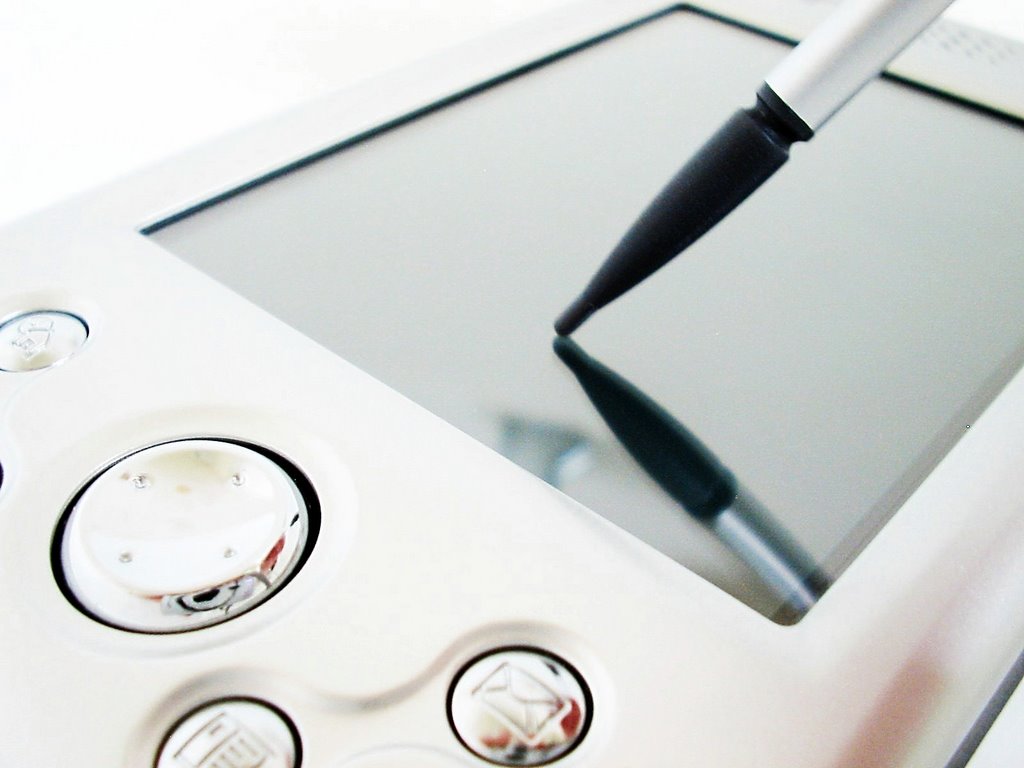
- The "2Do List:" The most basic organizational strategy to keep track of stuff and get thing done. Of course this takes place in a myriad of ways. Electronics: desktop, PDA, notebook or even the handy dandy smart phone. Paper: keeping lists on paper is very traditional - but rarely fails you. Whiteboards: awesome way to keep your 2Do list in front of your face all day - but it's not very easy to take with you. Sticky Notes: some people swear by the sticky notes and unless things are written on one of the little yellow squares it won't get finished.
- Email clients: Another organizational tool is your email client. Microsoft Outlook (for example) powerfully integrates your communication (email) with your 2Do list, your contact list, your working documents, etc. If you can wrap your brain around this sort of integration it can take you to amazing places.
- One Note: I do not use One Note (a Microsoft product) but I work with people that swear by it. This application takes your electronic organization to new levels by allowing note taking and document creation as it integrates other Microsoft products like Outlook and Word.
Of course the list could go on and on, but I'll stop for now. The key is not to do what everyone else is doing - the key is to find what works for you and do that.
Good luck!
28 November 2006
Do You Zune?
 So I broke down and bought it...
Not on November 14, 2006 (the launch date). I actually waited until November 15, 2006 just to make sure I wasn't jumping the gun...
My simple review: There are bugs - but I'm glad I bought it.
I must say there are some pretty harsh reviews out there - everything from "trash" to "waste of time and money." And while some seem to have valid arguments, it often ends up being a hard core iPod user or someone with all-or-nothing syndrome (the idea that if there is one single problem you MUST throw the entire thing down the drain).
Now for a slightly more detailed review:
Hardware
The device itself is awesome. I love the size, weight, color, texture, buttons and especially the size of the screen (320x240) which shows your standard 4:3 video crisp and clear. The case itself is strong, solid and the buttons easy to press without being easily bumped. You have the essentials and nothing more to clutter up the device.
Software
I wasn't all that concerned about the software on the device or the software used to download media (Zune Marketplace) probably because I expect bugs at the beginning. And because software is easy to upgrade. Each time you attach the device it downloads necessary updates. And the Marketplace can only get better since it's a web-based ap that receives upgrades in real time.
Now don't get me wrong, bugs do exist:
- I can connect to the Marketplace on my desktop but not on my laptop.
- The Marketplace has no podcast function which means every podcast you have is treated like a song.
- The Marketplace is a bit unstable - having to be shut down every now and then to catch its breath.
User Interface
Love it. Love it. Love it. Of course I am not an iPod user so I have no point of reference. But the navigation is easy and concise. Titles, descriptions, images and the like are all laid out well. The volume indicator is cool as is the flyout menus for images. Throw in an FM radio, the wireless functionality and I'd say you're miles ahead of the game.
Accessories
I purchased the Home A/V Pack which comes with power cord, dock, A/V cable to hook up to your receiver and small remote that looks just like the black Zune. Works well and looks cool too.
I'd recommend: More professional earphones. The ear buds that the Zune comes with are supposed to be cool (magnetic to keep them together during storage) but they aren't cool enough to be my default set...
:)
17 November 2006
Content Management Systems (CMS)
During the Communications Workshop (hosted by WiredChurches.com) someone asked a question about content management solutions that could be leveraged to ease web maintenance needs.
Our current CMS was designed and is updated periodically by our web developers (Aspire!One) but many sites are designed and delivered without a CMS. If this is your situation, you are in one of two camps: 1) you already have a site without a CMS or 2) you are having a site designed and a CMS solution is not part of the deal.
For those in the process of having a site designed - READ THIS! Make sure to discuss CMS and future web maintenance issues with your designer/developer. There are some very simple things they can do in the process to make your life easier in the future.
Here is a list of online solutions. I have not tried these personally, but at least it is a place to start. Give a few a call and talk specifics with them. Ask the tough questions and even have your designer/developer call if you don't feel comfortable with what questions to ask.
Please let me know if these resources were helpful and if so how you have implemented them in your specific environment.
Keep up the good work!
10 November 2006
WiredChurches Workshops | Communications
 Today was another one of those fun days at work. Not only did I get to do my regular job, but I also got to help support the check-in process and attend the majority of the Communications Workshop hosted by WiredChurches.com.
Kem was amazing as always talking about the development of a communications strategy that works. She hit on communications myths, best practices and tips the attendees could take home and try right out of the box.
Worth attending just for this:
- Less Clutter & Noise Mantra
- As a communications professional you have the responsibility to "lead up" at you place of employment
- Your communications department is NOT a brochure factory
- Your communication department should function as an internal consulting firm - not as a silo but in collaboration with other departments
- You may have to say NO more often than YES and rather than "directing" you may find yourself "redirecting"
- Ask, don't tell: Rather than opposing your superiors by telling them NO, lead them to make the right decision by asking the right questions
- Find the yes behind the no
- Coach vs. Censure
- Offer tools to gain credibility
- Too much more to list here...come to the next workshop!
It's great being part of a team of professional people in key leadership positions whose passion is to give away their knowledge to equip others in the business of taking Jesus to the world.
25 October 2006
Frequently Asked Questions
 This post seeks to transcend the typical lifespan of a blog post - which tends to go from origin to read to forgotten in the span of a few days...
In order to do this I will frequently edit, add to and take away from the post in order to make it the most helpful resource possible. Due to the frequency at which inquiries roll in it just makes sense to answer the questions in one place and then point people to that place...
I will also place a link on the main page so you can get to this post in the future quickly. Enough said. Here we go in random order - the first entry is just an explanation of the entry structure:
Format: (Date updated) Question: Answer.
- (11/12/08) Who Designed Your Website? Aspire!One out of Chicago. They have partnered with us since 2005 to not only design the current look of the site, but also to help guide us through the development and implementation of newer site components like each version of our Media Player, the addition of a dynamic events page, the integration of FellowshipOne into our website, etc. The site is designed with an administration panel and a database behind the scenes. It dynamically populates a handful of preformatted templates, allowing us to create "stories" with copy, pictures and attachments (PDFs) and schedule them in various places on the site for given lengths of time. That's sweet by the way! We started with one person running point on the website and managing all content. Today, because of the simplicity of the admin panel we are able to manage the entire website along with media player and streaming pages with a team of less than three people. [More]
- (10/17/07) Can I have Your Media Player? Well, actually you can. We recently released an online version of the Media Player that you can purchase (as a subscription service). Here is the product page and here are two posts with more information on how it works: Online Media Player Now Available! and Online Media Player: Follow Up.
- (11/12/08) How Do You Stream Your Video? Well, that's a loaded question. We are currently capturing standard definition video and upconverting it to HD (720p) video. We then encode it into flash video with either On2 Flix Pro or the Flash Video Encoder that ships with Adobe Flash Pro. We use the following settings: Flash 8 high quality / deinterlacing / 640x360 / 15 FPS / 80k stereo audio / total stream bandwidth of around 750 kbps. This video is then uploaded to LightCast - our streaming video partner where it is served up for us to either be displayed in our Media Player or on our Weekend Message page.
- (12/02/09) Aren't You Breaking Copyright Laws? The simple answer is NO. But here's why: During our weekend service we may use movie clips, play popular songs or have popular songs playing in the background of the medias we show. In order to make these available on the web, we had to acquire a license from the American Society of Composers, Authors and Publishers (ASCAP). Go here for the available web licenses that they offer. This year however, we did our research and have upgraded our copyright/licensing efforts by adding the following: CCLI (for the use of most worship songs and the lyrics during a service), CVLI (for the use of most video/TV/VHS/DVD clips during a service) and finally, we joined forces with Church Copyright Solutions which works with ASCAP, BMI and SESAC to provide comprehensive licensing on things that fall outside the typical CCLI/CVLI coverage. The basic product necessary to stream your weekend message on the web is called the WorshipCast License. This license allows you to offer live stream and on-demand stream versions of your services. IMPORTANT!!! There is a HUGE difference between streaming media and media that can be downloaded and/or purchased. This license only allows you to stream the video. If you would like to take it to the next level by allowing for downloads and possibly selling video/music that is copyrighted, you would need to get additional licensing for each "product." CCS does offer this service per item or at a "per project administration" fee. Obviously this can get costly and time consuming.
- Do You Link to Outside Content From GCCwired.com? The simple answer is yes. Welcome to the golden age of Web 2.0! We have recently had to deal with the harsh reality that our people are using social networking applications - and that leaves us with a few options: 1) Ignore the problem (which never seems to work) 2) Re-create the wheel (create the vegetarian version of MySpace, Facebook or YouTube – development is expensive and never works as good as the real thing) 3) Create a touch point in places where people are already spending time. For a long time we were dogmatic about not linking to anything outside of our site. But recently we have rearranged our thinking on this. We now use blogs as part of our communication strategy – linking to ones that we create to generate buzz and allow people some level of social interactivity. To recreate blog functionality on our site would be expensive and still wouldn't look as good as the real thing. We also began linking to Facebook groups that have proved their quality and longevity. We now understand that this is where the high school and college age kids live so why not have a presence there as well. Lifechurch.tv is doing this well. In fact they have multiple Facebook groups that are all tied back in to their internet campus. People watch the message online and use their Facebook group to stay connected. We recently began uploading our medias to both our media player and to YouTube simply due to the large viewing audience YouTube has and the ease with which the clips can be shared and embedded on other peoples sites all over the world. Our media player is much higher quality, but doesn't have the social interactivity and reach that YouTube has. It may not be an easy transition, but develop the strategy, champion the strategy and others will buy in eventually. Resources: WiredChurches.com, LeadingSmart.com and kemmeyer.com.
20 October 2006
Adobe Photoshop CS2
 I have used Macromedia Fireworks for quite a while and was lulled into thinking that the two programs were fairly similar and that only hard core graphic designers used Photoshop...
But when I started working at the church I quickly realized Photoshop was the standard so I ordered it and for the past few days I've been messing with the program to see what it can do.
I bought a book (How to Use Photoshop CS2 Visually), I watched the hour video that came with the software on the latest and greatest features, and I began the process of finding online tutorials for specific design tasks.
But nothing prepared me more than meeting with Dustin Maust (one of our resident photoshop guru's) for one and a half hours of hands on training. Zero to Sixty in no time flat. Tips, tricks, shortcuts and overall design theory from his point of view. Priceless...
I can't believe how powerful this program is! If only I had the opportunity to learn this in college. I'd be light years ahead of the game today. But I didn't, so I'll put in the time now and hopefully learn quick!
My biggest requirement is the ability to use Photoshop CS2 and Flash seamlessly (as was the case with Fireworks and Flash). With the recent merger (Adobe and Macromedia) hopefully future versions of the two programs will follow suit to the point where you can drag-and-drop right from Photoshop into Flash :)
I can't wait to see what the future holds.
iTeam - Do You?
This week a big chunk of our team has been out of town doing regional workshops. And while we still have cell phones, IM and email it just feels different. We work at a church that believes in and values working in teams. You often hear phrases like, "We do everything in teams" or "A team outperforms an individual every time." So it feels strange to sit at your desk with half your team missing and expect to perform as well.
Now don't get me wrong - there's something to be said about peace and quiet...
With the other members of the team gone I have ripped through my "To Do" list and was able to prepare for some cool things that are about to happen in the life of the church. I've also been able to do some much needed research into future web technologies and I was able to dive into an incredible piece of software (more in the next post).
But I am definitely looking forward to the team returning.
So do uTeam?
If not I challenge you to. If you are in a large church/business you will already have a department of paid staff. Begin today to champion the team approach. Model it in your behavior and your verbiage.
If you are in a small church/business you may be the only person in the department. But what an opportunity to begin the process and lay the foundation for future collaboration.
At Granger we place a huge emphasis on getting people involved at the volunteer level. This may be your next step. Invite people to volunteer in your department/ministry using the team approach and see what great things can happen!
09 October 2006
I'm Not the Only One!
 So the other day I found someone that loves coffee (Starbucks Coffee to be precise) even more than I do. His name is Scott Hodge and apparently he has been in a long-term relationship with the coffee giant. It's so bad that he even has a category in his TypePad account called "caffeine" in which to dump his great coffee posts. His blog is a great read - yes - even the non-caffeinated posts.
This is probably my first coffee-related post on WDC and it may be the last - or will it? I have been inspired by Scott so I may have to do a tribute post every now and then.
From where I sit I can see two Sbux coffee mugs, two venti 2go cups in the trash and a Sbux sticker on my laptop. Hmmmm...
I'm thinking of hitting the drive thru on the way home...
Long live the Barista!
10 Ways to Make or Break a Website
Found an interesting article the other day on ways to improve (or ruin) your website. The article was published by AU Interactive and seemed to be right on the money. It focuses a lot on the development of web applications but much of it applies to standard web development as well. Here is the abbreviated version (full version here):
- EASY is the most important feature of any website, web app, or program. Design your site to be easy. Then make it easier.
- Visual design and copy are extremely important. Obsess about your copy. Remove distractions and simplify.
- Open up your data as much possible. Develop an API (Application programming interface) and offer RSS feeds for everything on your site!
- Test, test, test. Develop goals that you can create measures for and assess down the road. An educated guess doesn't cut it any more.
- Release features early and often. Develop a core structure and branch off when needed. Future development should be modular, incremental and well documented.
- Be special. Allow your passion and belief in what you are doing guide you.
- Don't be special. Maintain agreed upon standards! Don't reinvent the wheel. Share elements across projects.
- If you plan on developing a successful webapp, plan for scalability from the ground up. Anticipate growth. Document everything.
- Watch, pay attention to or implement right away:
Microformats (opens up your data easily and contextually)
Adobe Apollo (deploy Rich Internet Applications easily)
Whobar (manage digital identity)
Akismet (stop comment spam) - User generated content and social software trends. Not working: required participation, buying communities, social networks just to have networks. Working: giving users control, individual value aggregated by the organization, diversity in users is a good thing and the understanding that many voices will generate emergent order.
01 October 2006
Zune We'll See
 Coming this November 14th (just before my birthday and Christmas...) the Zune by Microsoft will hit shelves and begin it's battle against the iPod - which at one point held over 90% of the digital music market share.
The majority of my friends have iPods and I utilize iTunes to manage my music library - so you'd think it would make sense for me to buy one as well. But for some reason I've held off - hoping something comparable would come along without the shameless proprietary element and music with digital formatting/signatures to ensure exclusivity with iTunes and iPod. (Recent news: Apple creates buzz for small unknown company by suggesting that using the word "pod" in any form is infringement on their brand. Talk about creating a negative buzz for your own brand!)
Now I know the Zune isn't even available yet and I haven't read any reviews by people that have used it for a good amount of time. But I am hopeful. With Internal FM tuner and wireless capability it sounds like the coolest thing since...well...since the iPod!
25 September 2006
ICC | Blogging Breakout
Online Resources
For those of you that attended the Blogging Breakout on Friday, September 23, 2006 - check out the outline posted by Tony and a few other resources posted by Kem.
Blog on!
Nip/Tuck
 I didn't post earlier due to all the activity surrounding the Innovative Church Conference, but I think it's time to talk about the Nip/Tuck to website (gccwired.com). Of course the cat's already out of the bag (see what Tony and Kem have to say about the updated look).
Aspire!One comes through again. Last Wednesday evening the new look went live. The image to the left is a small illustration showing the softer/rounded feel. It also shows the main page link to one of our newer features - the message in streaming video (available for one week). This image has a flash overlay with moving objects to catch the eye.
The Media Player has also been completely redesigned with enhanced functionality, a new look to resemble the website and the ability to save playlists and email links to friends (just to mention a few cool upgrades).
Stop by and check things out next time you're in the neighborhood!
24 September 2006
ICC | Web Strategy Breakout
Online Resources
For those of you that attended the Web Strategy Breakout on Thursday, September 22, 2006 - here is the list of resources we talked about (with some extras):
Vendors:
- Aspire!One (our web stategists)
- Fellowship One (web based content management system)
- Christian Video Channel (video streaming)
- Light Cast Media (video streaming)
- NetSuite (top notch e-commerce solution)
Partners:
- Web Empowered Church (WEC) (a community of churches sharing web and internet technologies)
Blogs / RSS Feeds:
- Less Clutter & Noise (web strategy by Kem Meyer Director of Communications at GCC)
- A List Apart (web design)
- Creative Multimedia (all things media)
- Kirupa (web design / tutorials)
- Leave it Behind (Brian Bailey Web Director Fellowship Church)
- Ordered List (Steve Smith Web Developer Notre Dame)
- Web Developer (everything to do with web design)
- 3Cords (a community of Christian bloggers)
Tools:
- Web Design & Development (Macromedia Dreamweaver, Macromedia Contribute, Macromedia Flash all part of Macromedia Studio 8, The Web Developers Handbook, Yahoo Developer Network)
- Imaging / Graphics / Photography (Adobe Illustrator, Adobe Photoshop, Macromedia Fireworks, iStockPhoto, Stock Exchange, Big Shot Media, Veer, Flickr)
- Video (Adobe Premiere Pro, QuickTime Pro, Flash 8 Pro Video Codec, Sorenson Squeeze 4)
- Streaming Video (See Christian Video Channel and Light Cast above for streaming services, See Sorenson Squeeze 4 above for video compression and the ability to convert digital video into QuickTime (.mov), Windows Media (.wmv), Flash Video (.flv) etc. FFMPEG is also a popular compression tool that is open source and highly customizable though typically not for the beginner)
Hope this simple list is helpful. Feel free to add comments regarding the pros/cons of the listed resources and/or list alternatives that have been useful in your experience.